Artemii in Chrome.
Chat with Artemii in a side panel next to the page you are working on, and let it read and act on that page, only on sites you allow.
Coming to the Chrome Web Store. The extension is built and tested but is not published yet. Join early access to hear when it is.
Read the page. Do the task.
Sign in with Mayfair ID, open the side panel and ask. Artemii can read the page, find things on it, click, type, scroll, select, press keys, navigate and open or close the tabs it opened.
- Streaming chat with a model picker, usage meter and a stop button
- Reads a compact outline of the page, not a screenshot
- Every action returns a short description and what changed on the page
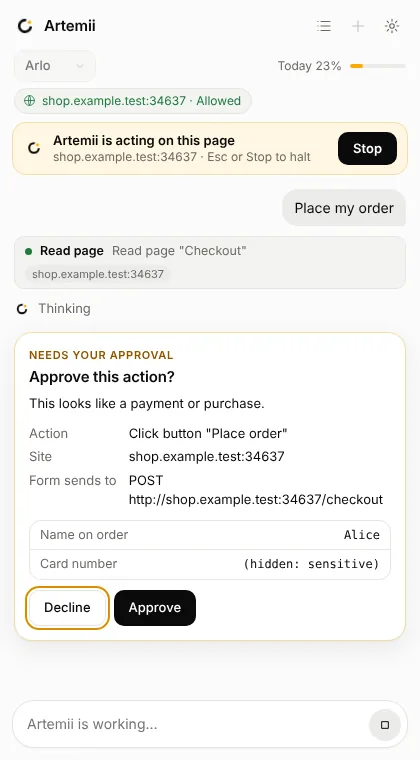
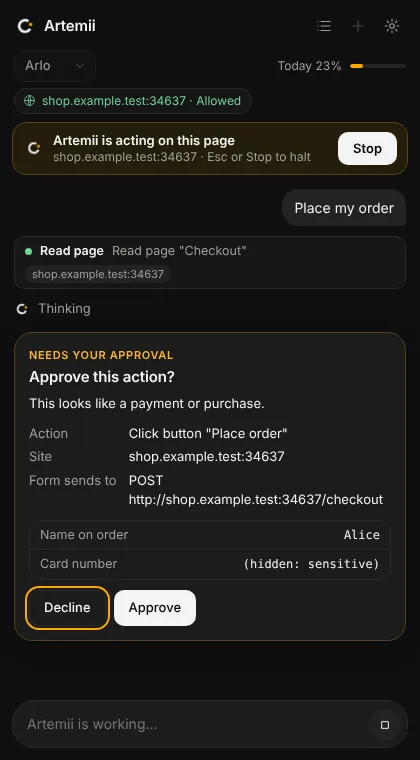
- While it works, the page shows an amber frame and an "Artemii is acting on this page" pill with a Stop button
- Light and dark
Several layers, so no single one has to be perfect.
Sites you allow
Before Artemii reads or acts on a site it asks: Allow once, Always allow or Never. Decisions are per site, listed and revocable in the extension's settings. Chrome access to a site is requested only then, never up front, and "once" is dropped when the task ends.
Never passwords or payments
Artemii never types into password, card number, expiry, security code, one-time-code, bank account, PIN or ID-number fields. The tool refuses, and those values are hidden in what it reads and in approval cards.
Approval cards
Anything that looks like a payment, a money transfer, closing an account, sending or posting, or a form that posts to a different site shows a card with the action, the site, where the form sends and its fields (sensitive ones hidden). Nothing happens until you approve.
Stop, any time
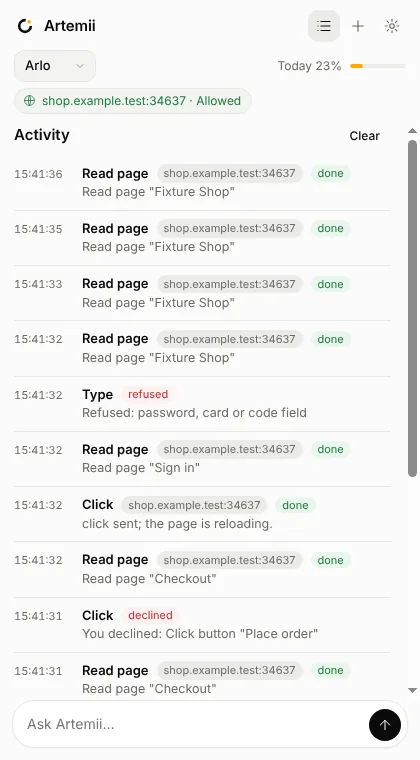
Stop from the panel, with Esc, from the pill on the page, from the toolbar button, or with Alt+Shift+S. Stop cancels the stream and any open card and refuses further actions straight away.
Pages are data
Page text is wrapped as untrusted data with a one-time marker the page cannot know. A detector watches for phrases like "ignore all previous instructions" and warns you. It is a warning, not a guarantee, so the hard limits here do not depend on it.
Limits
A task stops after a limited number of actions (40 by default, adjustable down) and offers to continue. Downloads and browser pages such as chrome:// and the Web Store are never touched. Incognito windows are off unless you turn them on.
It talks to two places.
The extension talks only to the Artemii gateway and to Mayfair ID. There is no analytics, no remote code and no tracking.
- Your sign-in token stays in browser memory and is gone when you close the browser
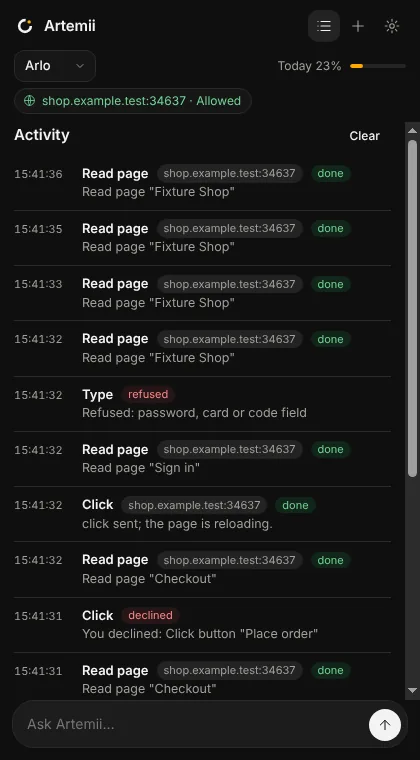
- The chat and activity log live in memory, and the log can be cleared
- "Clear all data" in settings wipes settings, site decisions, permissions and tokens
- When you ask it to work on an allowed page, an outline of that page is sent to the gateway as part of the conversation, so allow only sites you are comfortable with
What it cannot do.
- Clicks are synthetic, so some sites that insist on real mouse input will ignore them
- Pages inside cross-origin frames are listed but not read, and canvas-only apps cannot be read
- It does not download files
- It is a heuristic that spots prompt injection, not a guarantee: the site prompt, approval cards, sensitive-field refusal, action limit and Stop are what keep you safe
- Chrome only for now
Hear when it is in the Web Store.
Join early access and we will tell you when the extension is published.